 Deposits on CSGOEmpire
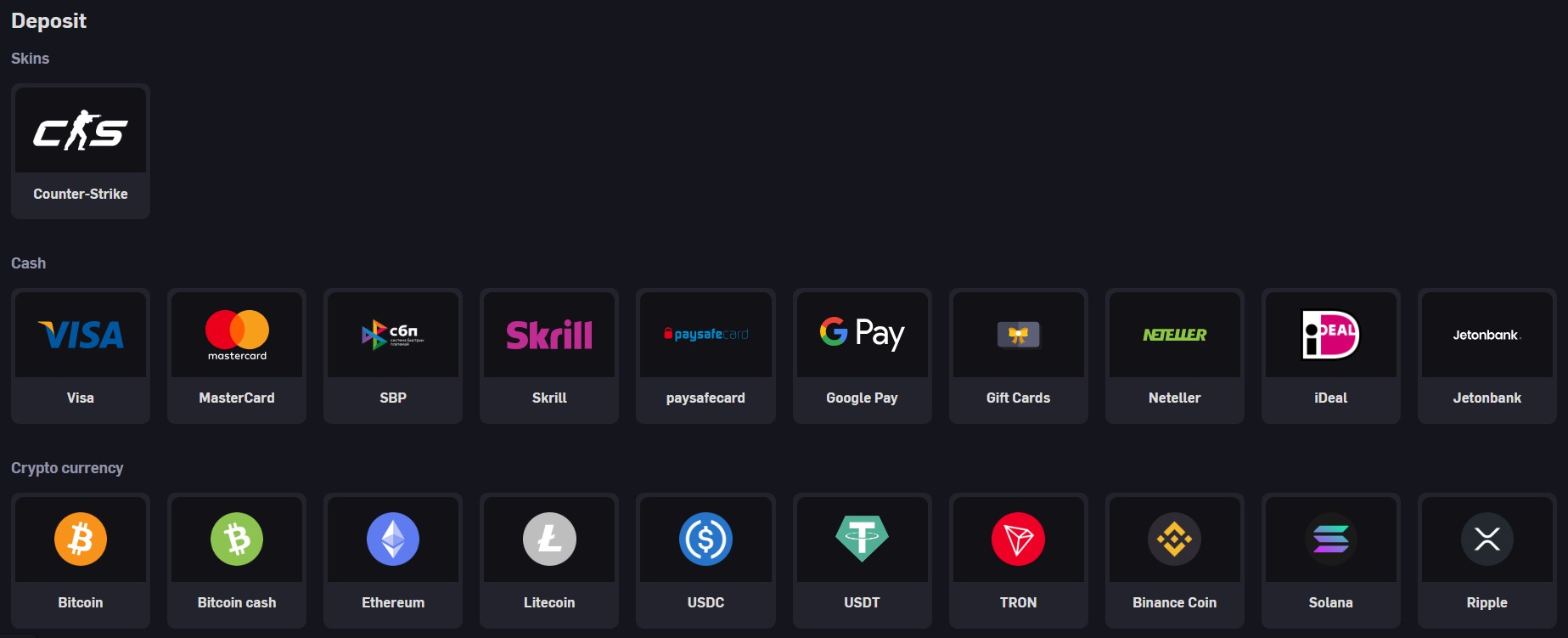
CSGOEmpire supports several categories of deposits, and the exact methods available depend on the user’s country and account view in the cashier.
Players can typically choose between skin deposits, crypto options and selected real-money providers, with availability and limits displayed inside the deposit interface rather than on public pages.
The deposit page groups methods into skins, crypto and real-money options, allowing users to switch tabs and see what is usable for their region.
The help centre article on payment methods explains that the list of processors is location-based and may change over time as providers are added or removed.
Skin deposits use Steam trade offers to move CS2 and CS:GO items into the CSGOEmpire ecosystem.
To deposit skins, users open the deposit section, choose the skin tab and follow the prompts to view their inventory and select items that meet the site’s trade requirements.
Once the trade is confirmed in Steam, the corresponding Empire Coin value is credited to the user’s balance and can be viewed in the cashier or transaction history.
Because trades rely on Steam infrastructure and a peer-to-peer model, deposited items usually cannot be reversed once the trade is completed and confirmed.
Crypto deposits are available through the crypto section of the deposit page, where users see supported currencies and a unique address or QR code for each asset.
After choosing a currency, users send funds from their external wallet to the address shown, taking care to match the asset and network correctly.
Most crypto deposits are processed shortly after the required number of network confirmations, but delays can occur during periods of congestion or if an incompatible network is used.
Minimum amounts, confirmation requirements and any additional rules are controlled via the live cashier and described in payment-related help articles.
Where permitted, CSGOEmpire offers real-money deposits through external processors such as card gateways and digital wallets.
The specific brands and methods available depend on the user’s location and are listed only inside the Real Money section of the deposit page, not on general information pages.
Some providers may apply their own handling fees or currency conversion charges, which are separate from any platform-level costs and are disclosed in the payment flow or provider terms.
Users should always review the summary screen before confirming a real-money deposit to see the total amount, currency and any provider-side charges.
Payment articles in the help centre note that most deposit methods are instant or near-instant once all external checks are completed.
For methods where delays are common, the platform aims to show indicative time frames and known issues directly on the deposit page for that option.
If a payment shows as pending for longer than the typical range, users are encouraged to check their provider’s status and then contact support with transaction details for further review.
Exact processing times can differ by method, region and provider status, so the values shown in the cashier should be treated as the authoritative reference.
Some deposit methods may involve fees, which can come from payment processors or be applied as platform handling charges depending on the route.
The help centre’s payment fees article explains that any such costs are presented per method, and users can see them directly in the cashier before confirming a transaction.
Minimum and maximum deposit limits are also defined per method and may vary by region or account status, with current values shown on the deposit screen for each option.
Users should ensure their deposit amount falls within those limits to avoid automatic declines or errors from the payment provider.
If a deposit does not appear on the balance, the first step is to check whether the transaction completed successfully with the external provider or Steam.
In cases where funds left the user’s bank, wallet or inventory but do not show up on CSGOEmpire after a reasonable waiting period, support can investigate using transaction IDs and other proof of payment.
Errors can be caused by incorrect network selection for crypto, failed Steam trades, provider declines or automated security filters, and the help centre lists typical examples for each group.
Collecting screenshots, reference numbers and timestamps before contacting support usually speeds up resolution and helps staff locate the payment in their systems.













© 2026 CSGO Empire All rights reserved